
Customer Management
Organise your customer and company records, contact details and notes in one simple workspace.
- ✓Customer and company records
- ✓Contact notes and history
- ✓Searchable customer details
- ✓Simple, organised workflows
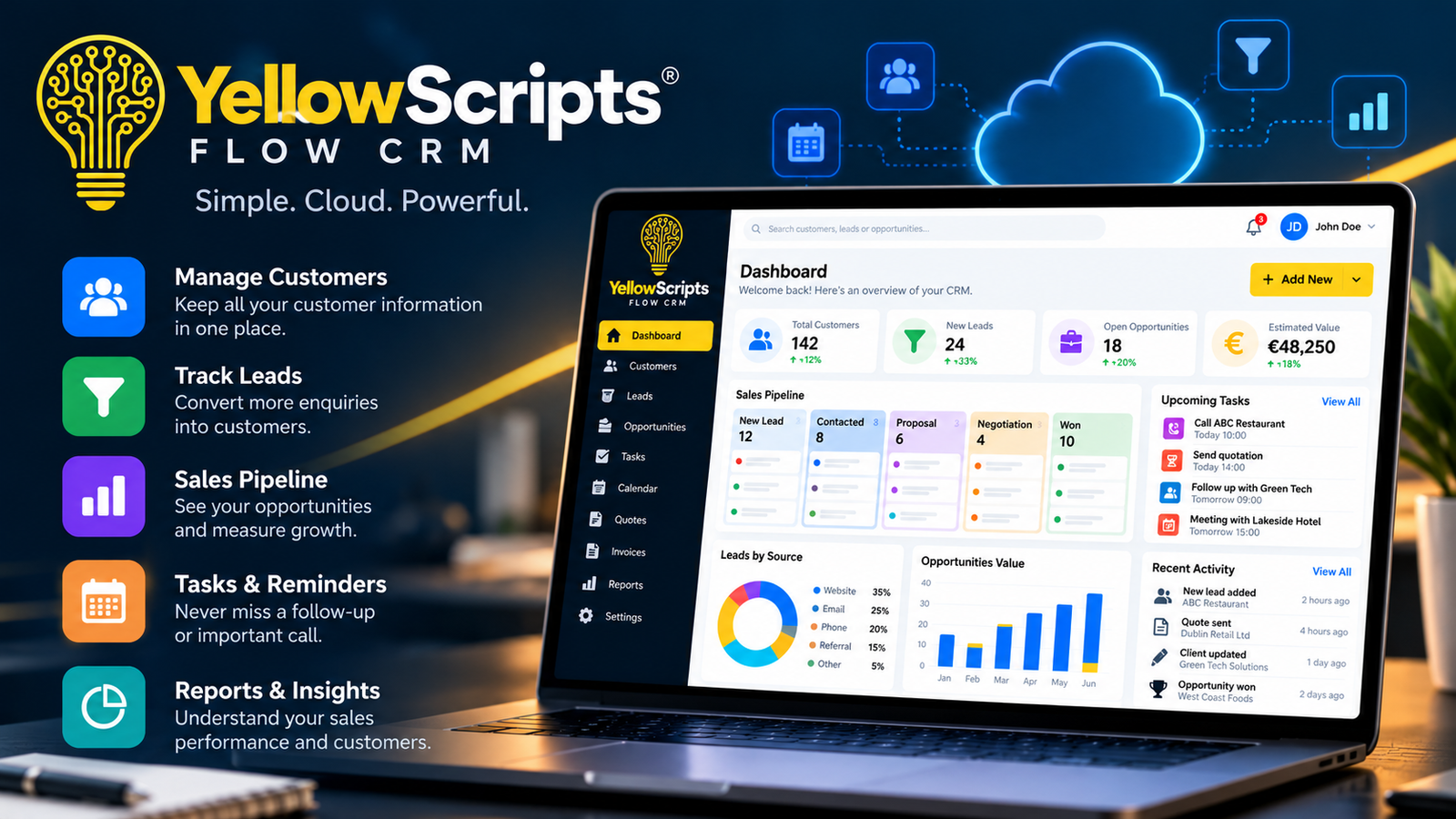
Organise your customer and company records, contact details and notes in one simple workspace.
Organise your customer and company records, contact details and notes in one simple workspace.
Track enquiries and sales opportunities from first contact through to quotation and conversion.
Keep track of your next actions, customer follow-ups and sales activity in one place.
Bring customer information, sales opportunities and follow-ups together.
Keep customer information in one place.
Follow opportunities from enquiry to sale.
Stay on top of important actions.
Understand your pipeline.
Reduce scattered spreadsheets and notes.
Designed for desktop and mobile browsers.
Manage company and customer records in one place, with key contact details and useful notes. Designed for small businesses seeking an organised way to manage relationships.
Reduce reliance on separate spreadsheets and scattered records.
Keep track of new enquiries, sales opportunities and quotations. See what needs attention and maintain a consistent follow-up process.
Organise sales stages and keep opportunities moving forward.
YellowScripts Flow CRM is being built as a PHP-based web application with a mobile-friendly interface.
Want to learn more? Contact YellowScripts to discuss your requirements or request a demo when available.
A Practical Guide for Growing Businesses
Customer relationship management (CRM) software helps a business organise information about its customers, potential customers and sales activities. Instead of keeping contact details in one spreadsheet, enquiries in an email inbox and follow-up reminders in a notebook, a CRM brings these activities into a more structured workspace. For a small business, this can make everyday work easier to manage without adding unnecessary administration.
YellowScripts Flow CRM is designed around this practical approach. The goal is to help small businesses keep customer records organised, track sales opportunities and stay on top of important follow-ups through a straightforward web-based interface. Whether you run a service business, a growing sales team or a company managing repeat customers, a well-organised CRM can support more consistent communication and better visibility over your work.
When a business has only a handful of customers, remembering conversations and tracking enquiries manually may seem manageable. As the customer base grows, information becomes harder to find. A quotation may be sent but never followed up. A customer may call again, only to discover that the person answering cannot see the earlier discussion. Important leads can be overlooked simply because there is no clear record of the next action.
CRM software provides a central place for customer information and sales activity. It helps teams answer practical questions: Who is this customer? What did they ask for? Have we sent a quotation? When should we contact them again? What stage has the opportunity reached? These are simple questions, but answering them consistently can make a real difference to customer service and sales organisation.
A customer management system starts with reliable records. Businesses often need to keep track of customer names, company details, phone numbers, email addresses and relevant notes. Keeping this information together reduces the time spent searching through messages and files.
Flow CRM is intended to make customer and contact information easy to access and maintain. A clear customer profile can provide a useful starting point for recording discussions, understanding requirements and planning the next conversation. For businesses dealing with both individuals and companies, organised records also make it easier to keep business contacts separate from individual customer details.
Not every enquiry becomes a sale immediately. Some customers are gathering information, some need a quotation and others are ready to proceed. A sales pipeline helps a business organise these different stages so that opportunities do not disappear into an inbox.
With a structured pipeline, an enquiry can be followed from initial contact through qualification, quotation, negotiation and a final outcome. The stages should reflect how the business actually sells rather than forcing every organisation into the same process. For a small team, even a simple pipeline can provide a clearer view of which opportunities need attention and which conversations are progressing.
Pipeline visibility can also support planning. Rather than relying on memory, a business can review its open opportunities, identify stalled enquiries and decide where to focus its time. CRM reporting should be understood as a way to support decisions, not a guarantee of increased sales.
Following up at the right time is an important part of maintaining customer relationships. A potential customer may ask to be contacted next week; an existing customer may need a renewal discussion; a quotation may require clarification. Without an organised system, these small commitments can easily be missed.
Tasks and reminders help turn conversations into actions. A CRM can make it easier to record what needs to happen next, who is responsible and when the follow-up is due. For teams, this also creates greater continuity when more than one person communicates with the same customer.
Useful CRM reporting does not need to be complicated. Small businesses often benefit from straightforward information such as the number of open leads, opportunities by stage, overdue follow-ups and recent sales activity. A dashboard can make these figures easier to review without manually combining multiple spreadsheets.
As the CRM develops, reporting can be shaped around the needs of the business. The most useful measures will depend on the sales process, the quality of the recorded data and the decisions managers need to make. Clear, relevant reporting is generally more valuable than a crowded dashboard full of figures that nobody uses.
Spreadsheets are flexible and familiar, and they can be perfectly suitable for very small customer lists. Their limitations become more noticeable when several people need to update records, track separate opportunities or maintain a consistent history of follow-ups. Information can be duplicated, versions can become confused and tasks may be managed outside the customer record.
A browser-based CRM is designed to provide a more connected way to manage these activities. Flow CRM is being developed using PHP for web access, with a focus on a clean interface and practical business workflows. Actual hosting arrangements, access permissions, integrations and supported features will depend on the completed product and the customer's requirements.
Flow CRM is aimed at small businesses that want a straightforward way to manage customers and enquiries. Potential uses include professional services, local service providers, business-to-business sales, hospitality suppliers and other companies that need to follow up quotations or maintain ongoing customer relationships. The right CRM setup depends on how a business receives enquiries, communicates with customers and manages its sales process.
Businesses already using a point-of-sale system or accounting software may also want customer and sales information to work alongside their existing processes. Integration possibilities should be assessed individually: not every third-party system offers the same access or technical options.
Before choosing CRM software, it helps to identify the everyday problems you want to solve. Consider where customer information is currently stored, how enquiries are assigned, how quotations are followed up and which reports would actually be useful. A CRM should fit your workflow and be simple enough for your team to use consistently.
YellowScripts Flow CRM is being developed with these priorities in mind: organised customer records, visible sales opportunities and manageable follow-up activities. We are happy to discuss the requirements of businesses interested in the product, including the type of customer information they handle and the workflow they want to improve.
Tell us about your customer management and sales workflow. We can discuss your requirements and the planned CRM features.